> For the complete documentation index, see [llms.txt](https://docs.scannit.io/llms.txt). Markdown versions of documentation pages are available by appending `.md` to page URLs; this page is available as [Markdown](https://docs.scannit.io/how-to-get-started/sign-up.md).
# Sign Up in 1 Minute
Welcome to Scannit. Once you have downloaded the app, creating your account is quick and simple. Follow these steps to get set up and start questing.
{% columns %}
{% column %}
### 1. Open the Scannit app
After the download is complete, tap the Scannit icon on your phone to open the app.
### 2. Tap "Sign up"
On the welcome screen, tap **Sign up** to create your account.
### 3. Choose how you want to sign up
You can sign up by entering your email and password, or use **Google or Apple to create your account**.\
Choose whichever option is most convenient for you.
{% endcolumn %}
{% column %} 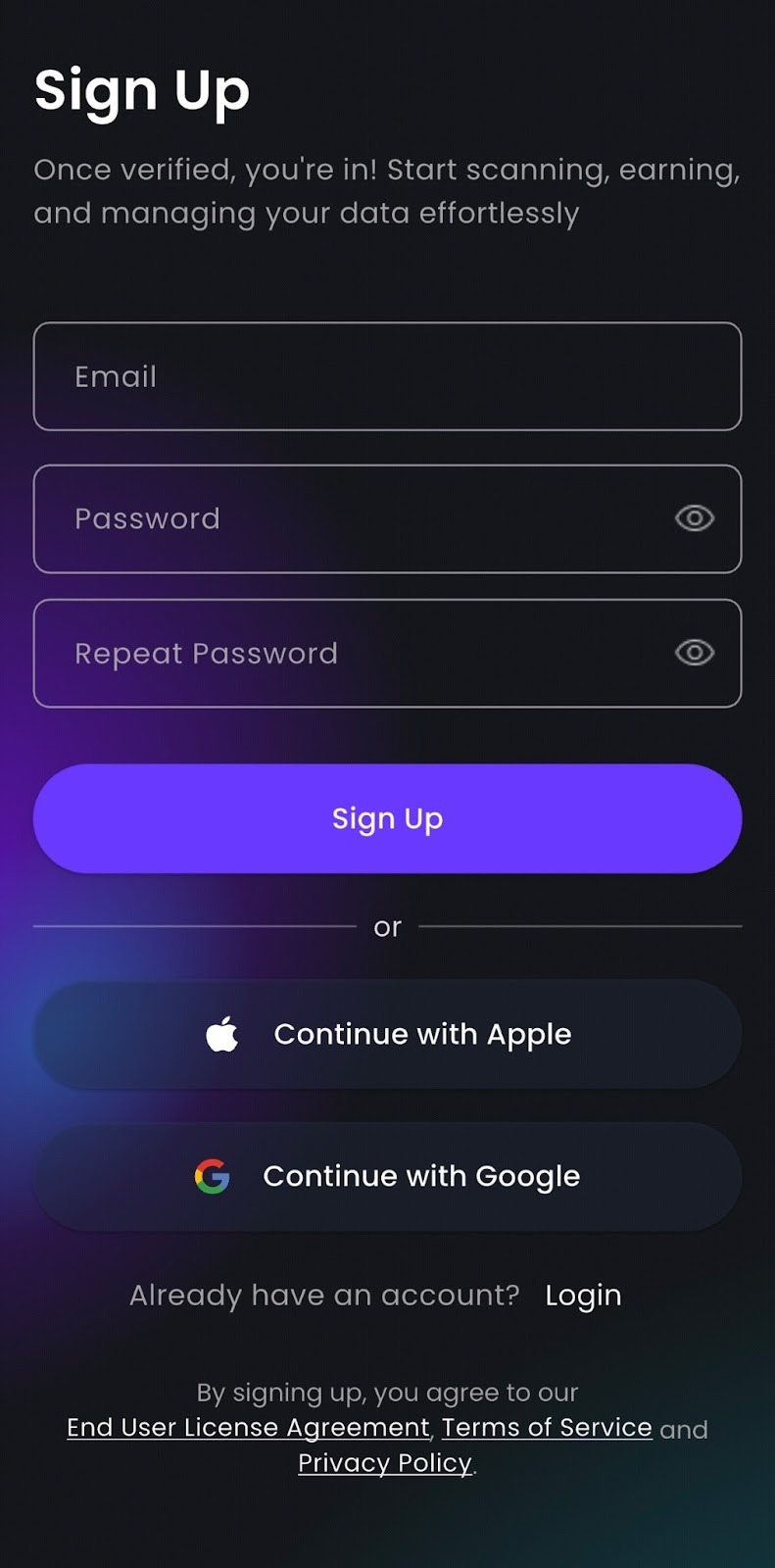 {% endcolumn %}
{% endcolumns %}
{% columns %}
{% column %}

{% endcolumn %}
{% endcolumns %}
{% columns %}
{% column %}

{% endcolumn %}
{% column %}
#### 4. Enter a referral code
If a friend invited you, they may have shared a **referral code**.
Enter it during sign up to unlock a **2,000 points bonus** once you completed a set of interactions in the app.\
\
If you do not have a code, you can skip this step.
{% endcolumn %}
{% endcolumns %}
{% columns %}
{% column %}
#### 5. Set your username
Choose a username that fits you.
\
Your username is visible to other users and (currently) cannot be changed later, so pick something you will be happy with.
{% endcolumn %}
{% column %}

{% endcolumn %}
{% endcolumns %}
{% columns %}
{% column %}

{% endcolumn %}
{% column %}
#### 6. Complete your profile information
Fill in your profile details to help Scannit show you the most relevant quests and improve your experience in the app.
{% endcolumn %}
{% endcolumns %}
#### 7. You are in. Time to start questing
Your account is ready.\
Explore the app, begin your quests and **start working toward your bonus** if you used a referral code.